Technical newsheet
Machine Vision & InspectionDevice profile
DEEPX Demo Runs YOLO Object Detection on 100 Video Channels
DEEPX has open-sourced a C++ demo that runs YOLOv5s object detection on up to 100 video channels at once on a DX-M1 NPU, with JSON-driven layouts and per-stage profiling for Linux and Windows.
By Olivia Hart4 min read733 words
Features
- The demo runs YOLO object detection on up to 100 simultaneous video channels in a 10 x 10 grid on a single DEEPX DX-M1 NPU.
- The model is YOLOv5s with 512-pixel input, in standard and PPU-compiled variants, running on the DX-RT runtime with a C++/OpenCV application.
- Layouts are set by JSON config files; examples for 4, 33, 41, 61, and 73 channels ship alongside the three default configurations.
- A --profile mode logs per-stage timings for capture, inference, post-processing and rendering, with a script to compare logs such as Linux vs Windows.
- The demo targets Linux or Windows PCs, uses video files by default, and supports cameras, which display expanded with a yellow border.
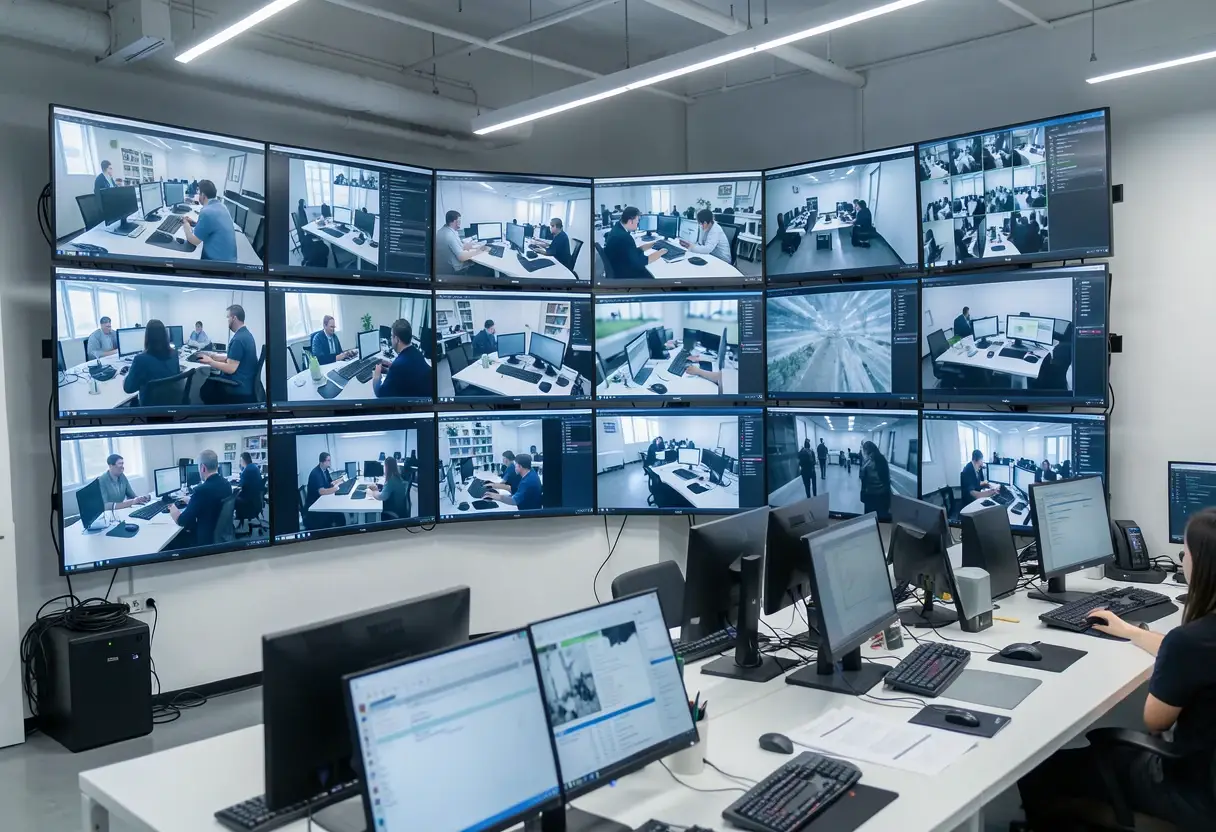
One hundred simultaneous YOLO object-detection channels, tiled into a 10 x 10 grid on a single DEEPX DX-M1 NPU, is the headline capability of a newly released open-source demo from DEEPX. The application, published under the dx_demo repository on GitHub, drives YOLOv5s inference across as few or as many video inputs as a JSON configuration file declares — from four channels to a hundred — without any change to the C++ code underneath.
What ships in the demo?
Three ready-made configurations accompany the download. Configuration 0 runs multi-channel object detection with the standard model. Configuration 1 repeats the exercise with a PPU-compiled model, and configuration 2 scales to the full 100 channels in a 10 x 10 grid, again PPU-compiled. The config/ directory also includes worked examples for 4, 33, 41, 61, and 73 channels, so the layout arithmetic for irregular counts is already done.
The model is YOLOv5s with a 512-pixel input, in both standard and PPU-compiled variants. PPU compilation refers to DEEPX's ahead-of-time compilation path that prepares a neural network for the DX-M1's NPU hardware; the demo lets engineers compare the two versions directly under identical inputs.
What hardware and software does it need?
The target hardware is the DEEPX DX-M1 NPU attached to a Linux or Windows PC, and the repository provides build and setup scripts for both operating systems. Video files are the default input, and cameras are supported as well. The runtime stack is DX-RT — DEEPX's inference runtime — with the application itself written in C++ using OpenCV for capture and rendering.
Configuration lives entirely in JSON files under config/. Each file sets three things: the model to load, the list of inputs (video_sources), and the grid layout. Swapping a four-channel setup for the 100-channel wall means editing one file, not rewriting code.
How do you run it?
The entry point is deliberately short:
git clone https://github.com/DEEPX-AI/dx_demo.git
cd dx_demo/yolo_multi_demo
./run_demo.sh
The script builds the application, downloads the models and sample videos if they are missing, then prompts for a configuration choice of 0, 1, or 2. Pressing ESC or Q exits the running demo.
What can you measure with it?
For engineers who care less about the grid and more about where milliseconds go, the demo includes a profiling mode. Running ./run_demo.sh --profile writes a per-stage timing log broken into four stages: capture, inference, post-processing, and rendering. A companion script, scripts/compare_profile.py, diffs two such logs — DEEPX suggests, for example, comparing Linux against Windows on the same hardware to see where the platform gap sits.
That per-stage breakdown matters for deployment decisions. A hundred-channel wall is only useful if inference time, not capture or rendering, dominates the budget; the profiler separates those contributions so an integrator can see which stage to attack first.
What about custom inputs?
Editing video_sources in a config file is all it takes to point the demo at local files or live cameras. When a camera appears in the input list, the interface expands that feed to the center of the grid and draws a yellow border around it — a practical touch for surveillance-style setups where one live angle deserves the most screen area.
DEEPX frames the release as a starting point rather than a finished product, and closes its announcement with two questions for builders: how many channels a given use case needs, and what kind of inputs — files, USB cameras, RTSP streams — it consumes. The company invites developers who extend the demo into multi-camera applications to share their work in the comments of the DEEPX Developer Community, where the full write-up and discussion are hosted.
What does the release signal?
The underlying question this demo raises is one of deployment economics. If a single DX-M1 NPU sustains YOLOv5s inference across 100 channels — a figure DEEPX has not yet published per-channel frame-rate data for in this announcement — the cost and power envelope of large multi-camera vision systems changes materially compared with GPU-based serving. Engineers evaluating the platform will want to run the profiler themselves, under their own camera mix, before drawing conclusions. The SDK setup guide, Getting Started: DX-M1 on Ubuntu, is the prerequisite, and the source code sits in dx_demo/yolo_multi_demo on GitHub.
via hackster.io (Source)
Filed under
More from Olivia Hart
Show full bio
Market editor covering technology and product news in Instruments, test and measurement at Testbench Report.
106 articles
Application notes
- DEEPX runs YOLO26 on four video streams on one RK3588 board
- Cognex Bolts Nvidia Jetson Onto the In-Sight 6900 for Edge AI Inspection
- Cognex Brings Nvidia Jetson Compute Into Its Machine Vision Line
- Basler 10GigE Vision Stack Hits 24.4 MP at 232 fps, Under 7 W
- IDS GMSL2 Discovery Kit Pairs Jetson Orin NX with Synced Multi-Camera Vision